

- All unkey employees are encouraged to pick up a
Cloud Basichttp://cleanshot.com/ license and learn how to use it. - For employees who would like to frequently record explainer videos, feel free to ask for a Supercut license https://supercut.ai/
Screenshot guidelines
Screenshots are incredibly useful tools, but a bad screenshot can sometimes do more harm than good, and force people to think harder than they need to about what they’re looking at. Here’s some general rules on how to create a nice screenshot.- When using Cleanshot, please screenshot the ENTIRE browser window that the change / fix is present on. You can set up and configure a shortcut this from within the Cleanshot Settings page.
- If your change only uses a tiny portion of the current view, use cleanshots annotations feature to add arrows and point out the relevant portion of a change.
- Do not screenshot a portion of the app if at all possible, as it can make it harder for people to grep what context the item sits within.
Example
Both screenshots show the same change: the email input on the sign-in page.| Bad | Good |
|---|---|
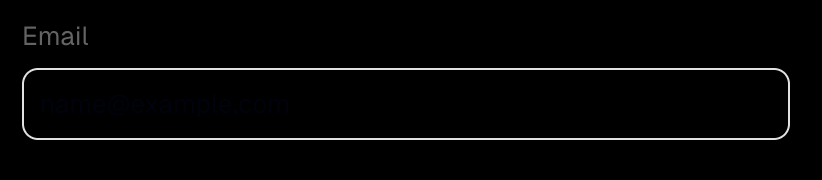 | 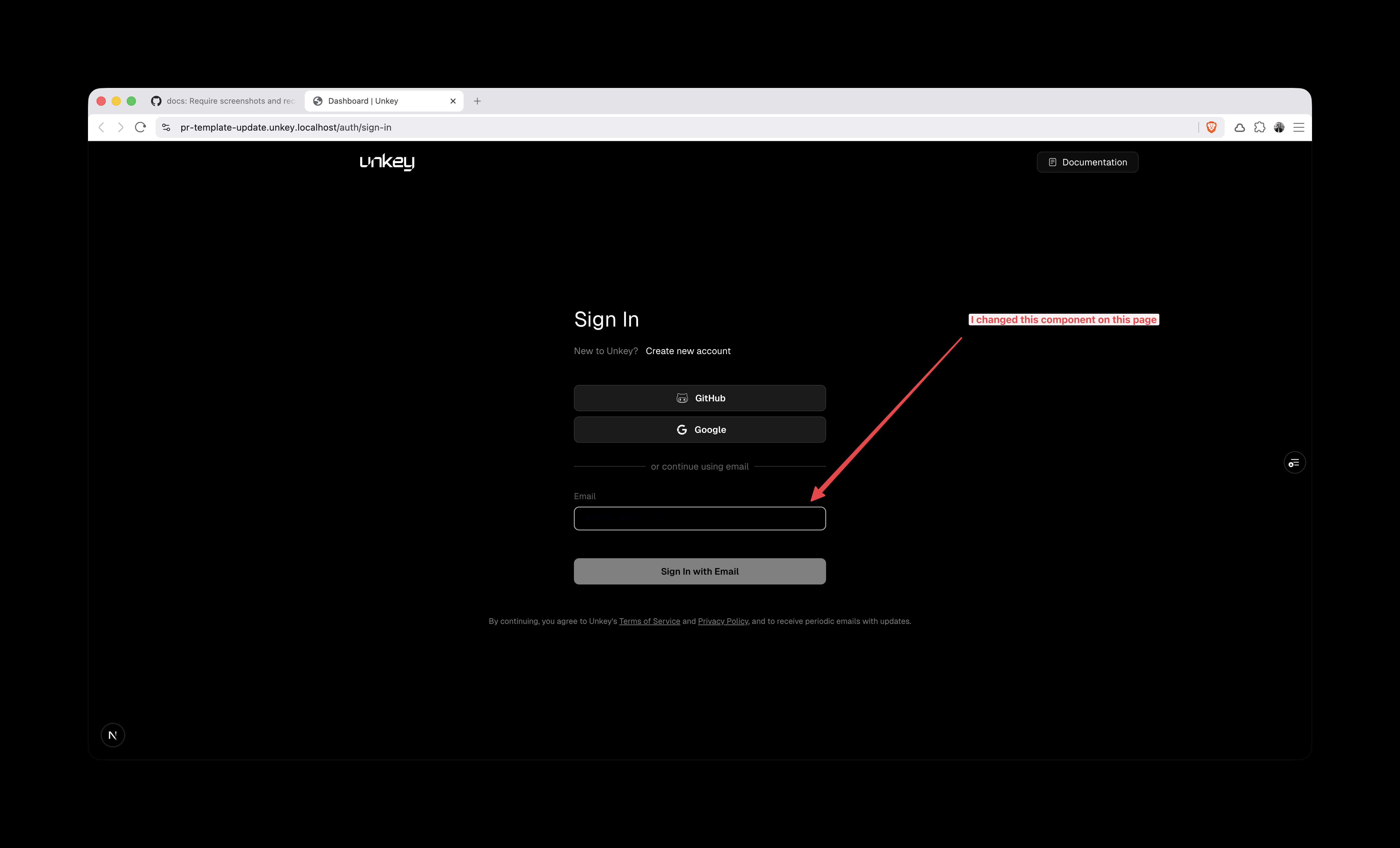 |
| Cropped to the component. The reviewer cannot tell which page this is, where the component sits, or whether the rest of the page still works. | The whole browser window, so the URL and the page are visible. An arrow and a short label point at the part that changed. |